Notion + Google Forms + Make + Gmail
Stop losing leads between your form and your follow up
A Notion sales pipeline that fills itself. Every lead from your form lands in Notion and gets a follow up email automatically. No manual entry, no forgotten leads, no wondering if you already followed up with them.
The problem
You get a lead. You mean to add it to your pipeline. Life happens: a call, another lead, the end of the day, and it sits in your inbox for three days before you remember.
By the time you follow up, they’ve already booked with someone who replied first.
Most sales pipelines fail quietly like this: not because the board is badly designed, but because nothing pushes leads into it. You have to remember to do the manual work every single time.
This template removes that manual step entirely.
What it actually does
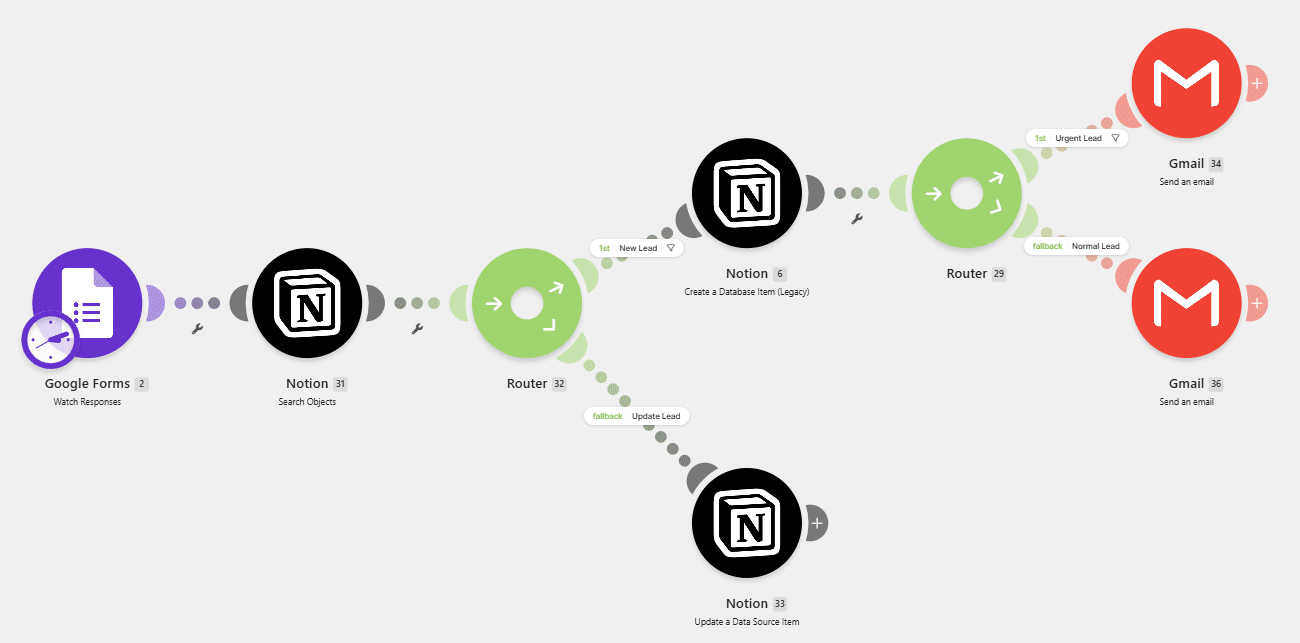
This isn’t just a Notion board, it’s a board wired to a working automation:
Google Form > Notion > Automatic Follow up Email
- Someone fills out your lead form
- The lead appears instantly in your Notion pipeline, in the right fields, tagged and ready
- A follow up email sends automatically, no one has to remember to send it
The automation is already built. You don’t need to know Make.com, write a script, or configure anything from scratch. You connect your own Google Form, Notion workspace, and Gmail account to the blueprint provided, test it once, and switch it on.
What’s included?
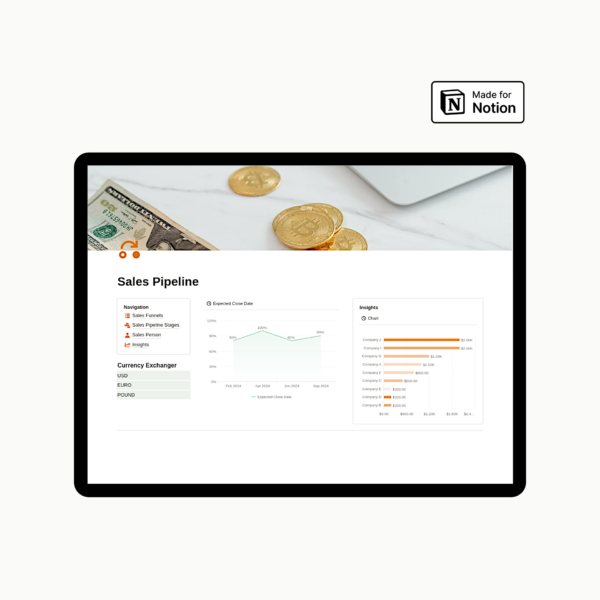
- Notion Sales Pipeline board, every stage from lead to closed deal, built for daily use
- Salesperson tracking, assign deals, see who owns what, spot who’s carrying the load
- Insights view, conversion rates, deal size, and win rate at a glance
- Make.com automation blueprint, the exact scenario, ready to import
- Step by step setup guide, duplicate, connect your accounts, test, turn it on
- Reference automation diagram, see exactly how the pieces connect before you build anything
Who this is for
- Founders and small sales teams who are losing leads to slow or forgotten follow up
- Anyone currently copying form submissions into Notion by hand
- Teams who want a pipeline that’s actually kept current, not one that goes stale after week one
Why it’s different from building this yourself
A blank Notion pipeline template is free advice, it tells you what could work. This is the wiring already done. You’re not researching Make.com, debugging API connections, or guessing at field mapping. You duplicate, connect three accounts, test once, and it’s live.