
Stop answering the same API question for the 10th time
Your docs live in three places: a stale Google Doc, a wiki page nobody updates, and someone’s memory. Every new dev on your team pings you on Slack asking how auth works. Every external integration partner emails you asking what a 403 actually means. You wrote the API. You shouldn’t have to narrate it forever.
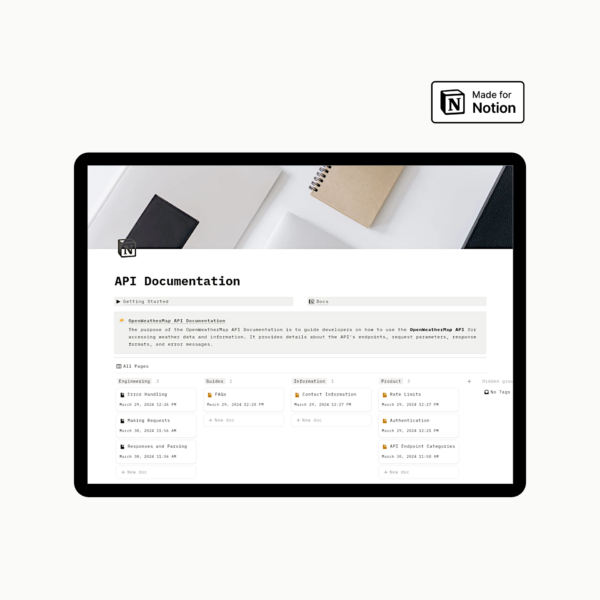
Notion API Documentation Template gives your API one home: a structured, always current doc your team (and your users) can actually navigate without asking you first.
Built for the moment your docs fall behind
You know the signs:
- A new hire spends their first week asking “wait, how do I auth again?”
- Support tickets keep asking questions your docs should already answer
- Nobody remembers which Google Doc has the current endpoint list
- Error codes exist only in your head, or buried in old Slack threads
This template fixes that, not by asking you to write more, but by giving what you already know a structure that scales.
What’s inside Notion API Documentation Template
- Overview Section. The 30 second pitch for your API: what it does, who it’s for, and how it fits together. The page you send instead of explaining it again.
- Authentication Guide. Every key, token, and header laid out clearly, so “how do I authenticate?” stops being a support ticket.
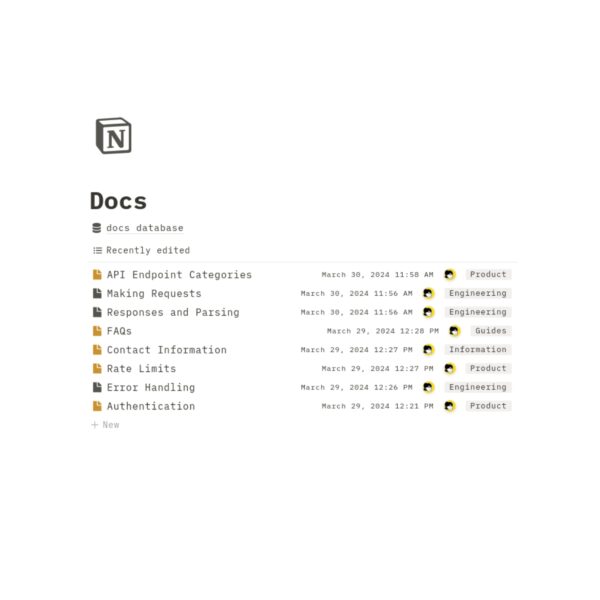
- Endpoint Documentation. A repeatable template for every endpoint, covering method, parameters, response objects, and error codes. Add a new endpoint in minutes, not a rewrite.
- Error Codes Dictionary. Every error your API can throw, explained in plain language with a fix, so users troubleshoot themselves instead of emailing you.
- FAQs & Support. A home for the questions that keep repeating, so they stop landing in your inbox.
What changes once it’s set up
- New team members onboard from the doc, not from you
- Support tickets drop because the answer is already written down
- Adding a new endpoint takes minutes, using a format that’s already consistent
- Your API looks as put together as the code behind it
Why this, not a blank Notion page
A blank page still means you’re designing the structure from scratch: deciding how to lay out endpoints, where errors live, what “done” even looks like. This template skips that decision entirely. It’s the structure already, so you’re filling in what you know instead of inventing how to organize it.
About this template:
- The template is optimized for use on a Desktop or Laptop and will not appear the same as the listing photos when used on smaller devices. However, the function of the template remains consistent among any device.
- This template only works with the Notion App or the Notion Website. Any other applications will not work with this template.
This is a digital download. No physical items will be sent after purchase. - All materials are for personal use only. No part of it can be distributed, sold, reproduced, or used in any form without the author’s written permission.
Reviews
There are no reviews yet.